Tech help/suggestions for NG performance?

Hey all. I was doing pretty well the first two weeks of Pyr access, but my stability with Neuroglancer has been going down quickly, with much more frequent tab crashes and “black outs” - I can’t seem to even proof one cell now without having to refresh twice.

I’m looking for some suggestions on how I might be able to get back to better performance, because this will quickly make proofreading impossible for me again. Suggestions that aren’t buy more RAM/upgrade computer parts (obviously would be a help, but not an expense I can afford right now with the inflation.) I know my computer’s aging and I’m hoping this isn’t a sign of hardware failure.

I have my basic device specifications down below. I use Vivaldi (Chromium based) and it’s usually been the best to me when it comes to Neuroglancer. I tried Firefox this afternoon and it ended up being WAY more unstable - something like a dozen crashes/errors/freakouts in 5 minutes. Both are running very minimal extensions and have had their cache and history cleared.

Suggestions? Ideas? I’m stumped and want to stick with it - I truly missed doing this work - but if I can’t find my way over this tech hurdle, I might have to call it an indefinite hiatus.

Device Info:

Device Name DESKTOP-HG1R9LF
Processor Intel(R) Core™ i7-7700K CPU @ 4.20GHz 4.20 GHz
Installed RAM 16.0 GB
Storage 932 GB HDD WDC WD10EZEX-21WN4A0, 224 GB SSD WDC WDS240G1G0A-00SS50
Graphics Card NVIDIA GeForce GTX 1070 (8 GB)
Device ID 8C34B3F8-0203-4731-B499-3CBC406ECB7D
Product ID 00325-96266-30058-AAOEM
System Type 64-bit operating system, x64-based processor
Pen and touch Pen support

Browser Info:

Version: 8.2.4133.94 (Official Build) (64-bit)
Chromium Version: 152.0.7977.170
Channel: Official Build
Platform / OS: Windows 10 Version 22H2 (Build 19045.6466)

2 Likes

vivaldi and/or nvidia drivers up to date? Windows updates up to date?
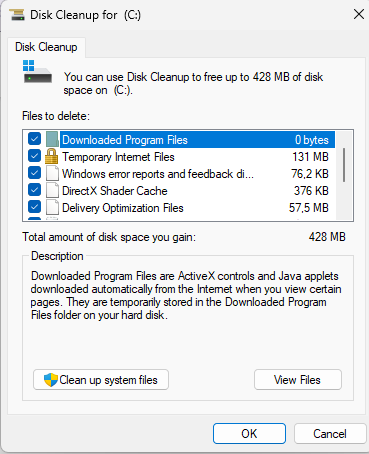
disc cleanup of C://
image
good and clean?

2 Likes

My next question would be, do these crashes happen with base neuroglancer or only with ew branch?

2 Likes

Vivaldi updated as of today, 50GB free on C Drive and recently cleaned.

Apparently not up to date on video driver, so going to do that and see how it goes. If no improvement, I’ll check and see NG vs EW2/Pyr specifically.

2 Likes

OK - drivers up to date (actually did NOT have an update outside a security patch, apparently 1070s are no longer supported).

I did a little memory testing in NG and Pyr both in Vivaldi and also ran VRAM checks - the memory use is equivalent, and it’s definitely not pushing VRAM (was only using about 280MB). It is taking a good chunk of RAM (2-4G) with a lot of voxels loaded, but that is expected and well within my range on the browser.

I’m going to keep tweaking things to see if they help (and see if I see any trends with crashes), here’s hoping.

2 Likes

Not sure, how to help you, but here’s my specs:


Windows 10
DDR3

So it’s very old for PC standards, it’s about 12yo! :smiley: Yet, I don’t have any issues running NG, even large cells (MEC) and multiple tabs (both NG’s and browser’s). I’m using Brave, but any Chrome based works good to me. I didn’t test FF, but it should be good too.
So, not sure, what might be the problem with your setup, but the PC doesn’t seem to be a bottleneck.

2 Likes

yeah pc wise ng at the very least and pyr even shouldnt be too heavy, but if both are crashing then Idk what’s going on, if ng’s not crashing and ew is then it’s something in ew branch that’s causing it, which talking with amy/dev could/should resolve issues, if the crashing’s creating any error(s) in the F12 console.

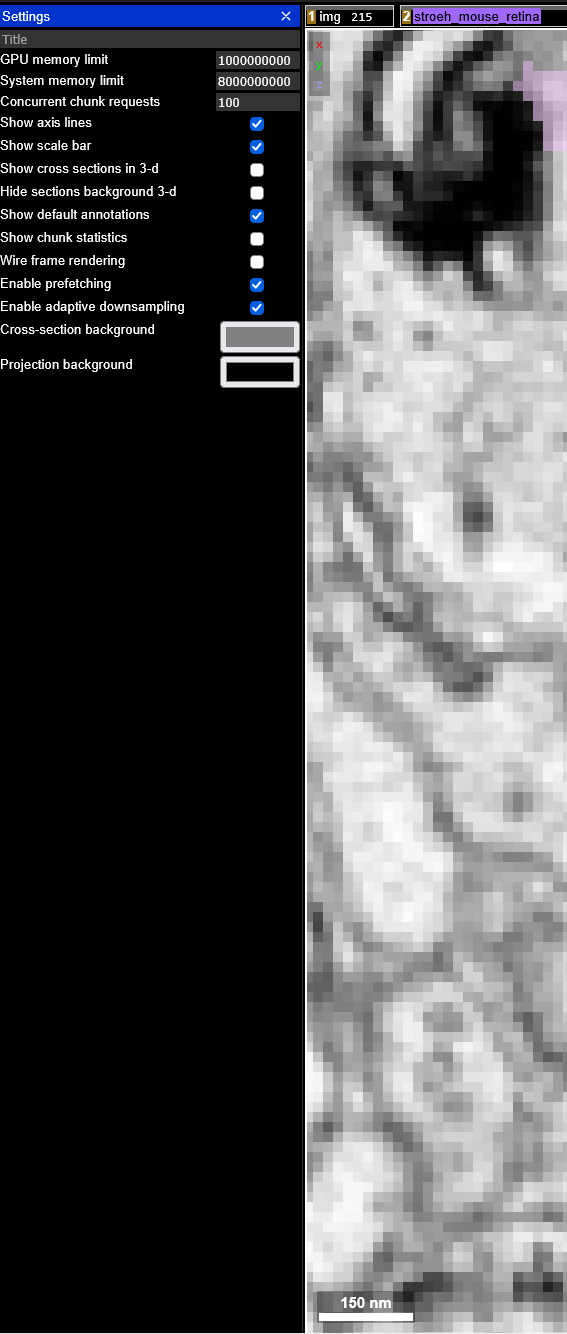
The other thing I can think of is try tweaking the viewer settings:


lower/increase them GPU/System numbers to see if it makes any kind of diff. (in ew branch you go to profile > settings > viewer settings to find them as there’s no gear cog like in base ng).

The other thing I’d try would be to open ew branch (and/or ng) in the equiv. of incognito window in Vivaldi and see if it makes any diff. if there’s no crashes in incog. win. then something in vivaldi’s causing the issue(s) so comparing incog w/ normal browser should indicate what’s doing it.

1 Like

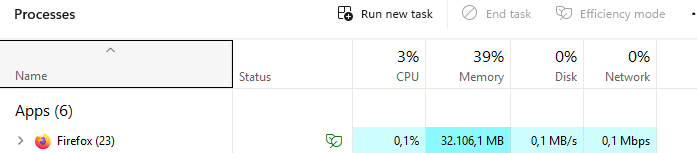
for fun and laughs the two tabs I have of ew branch in FF (one tab super merger clean ups and the blood vessel and 1 tab BCs gsheet stuff) is taking this much:


:joy: thank the RAM gods I have a lot haha

The other tabs are yt (stuff I’m watching so these open and close frequently) and ew branch related gsheets, so they can’t be taking more than ~1gb of ram max.

1 Like

Thanks all for continued ideas & support!

I have managed to narrow it down to a virtual memory issue, most likely a memory leak… somewhere. Tonight I got it to a stable level again and went over an hour with no issues, so I’m not sure yet where that memory leak is coming from, but I’m continuing to watch, log, and experiment.

2 Likes