
I created a player script with chatgpt’s aid, that’ll give image controls over the 2D:
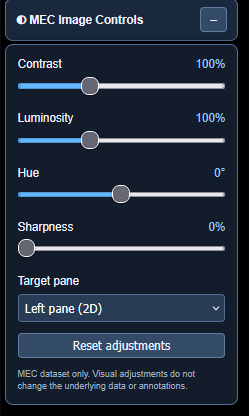
The script will recognize if a user is in MEC or in another dataset. If you jump to sandbox, retina, BANC etc the button won’t show up, if you jump to MEC it’ll appear and in theory it should remember where you left it, it works with left mouse drag and drop:
To show/hide the controls (left mouse) click on the +/- part of the button (or the button in a button lol)
The rest is self-explanatory, and the reset adjustments returns it to default. The script doesn’t alter the image slices themselves, but uses visual browser filters rather than modifying the original microscopy image data.
One disclaimer/caution: sharpening and some other filters may also affect annotation overlays.
I thought to create this script b/c in MEC (unlike BANC and/or retina datasets) there are quite a few slices that are blurry (even after the load blur is gone/fully loaded) and/or with very poor/low contrast making tracing/proofreading more difficult than it has to be. This (script) won’t fully solve the problem, for that I imagine re-imaging and/or reworking the 2D slices in the lab would be required and considering the sample is destroyed during the imaging process I’m not sure how possible that is, but it should aid a bit (or a lot).
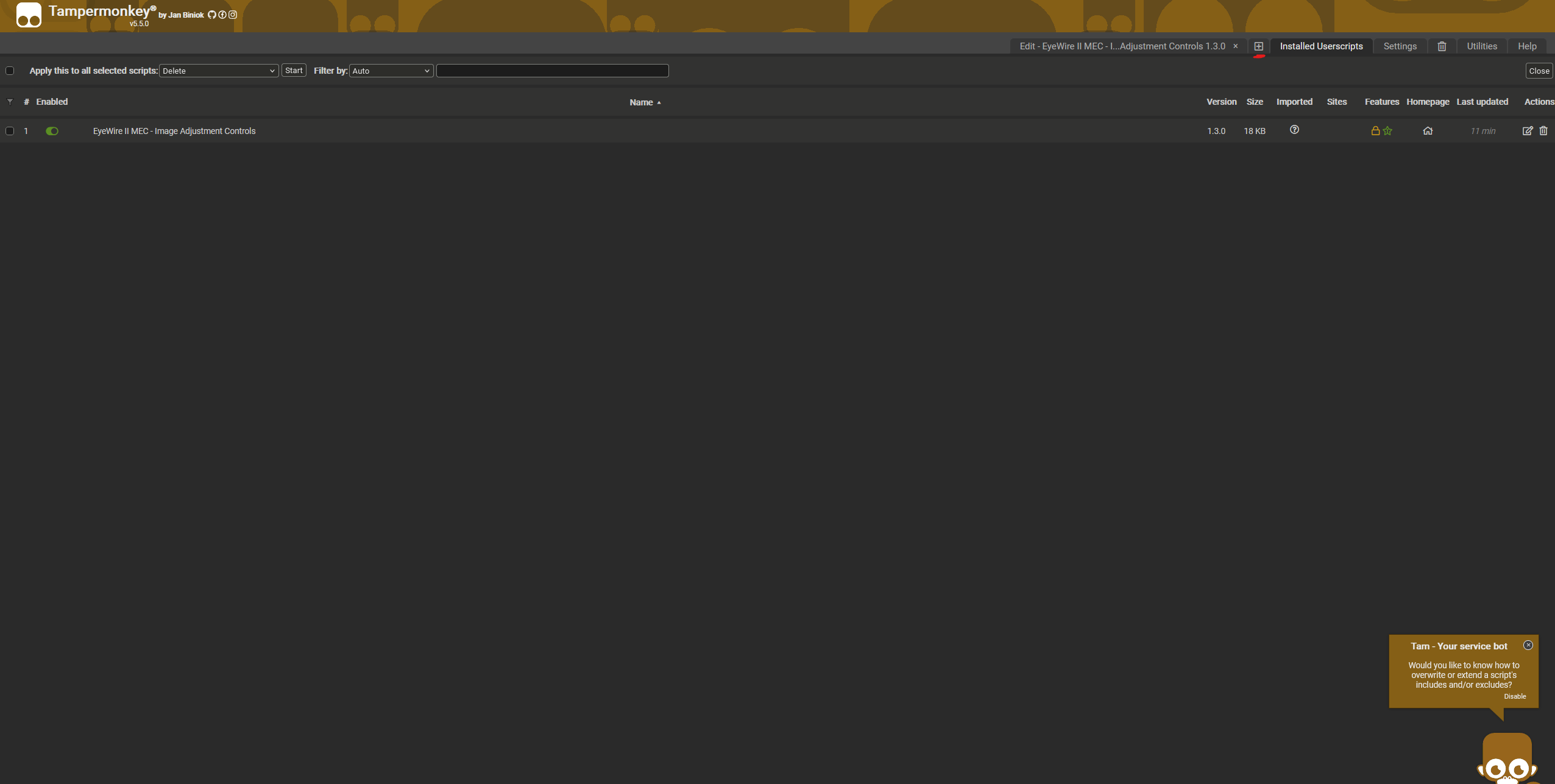
To install this script download tampermonkey for your browser, then go to the dashboard and click the red underlined + as shown in the screenshot:
and copy paste the script from here:
overwriting any and all sample code in the new script tab.
Refresh ew2/pyr and have fun.
Hope this helps, and happy proofreading!