[addon] Annotation Resizer

https://github.com/ChrisRaven/Annotation-Resizer/raw/refs/heads/main/Annotation-resizer.user.js

A few days ago I’ve made myself this little script, whose only purpose is to increase the size of the point annotations by a predefined (in code) multiplier. By default, it’s x3.
I’ve made it, because I was easily loosing orientation, where I’ve already been and where I should still go and check the branches. With the larger annotations things seem to be much easier in this regard, at least for me.

I haven’t found any errors in it, so I’m sharing it now. Have fun! :smiley:

3 Likes

great, this is a long awaited feature.
one question, is this locally on my computer or will the bigger points also be in the shared link. And in that case will it multiply the point more than one time.

2 Likes

It’s only local. I was also worrying about it being in the shared states, but fortunately, it just modifies, how it’s displayed to you and all the other users of the script.

Forgot to add: if you want to change the size of the annotations, go to the script, search for POINT_SIZE_MULTIPLIER and change the value assigned to it.

2 Likes

Is it possible to also do something like that with the colour on the start segment? From my point of view there are way to many start segments that are some shade of green that make the annotation points difficult to see.

1 Like

I usually start with pressing L multiple times until I find a color, I can work with. But it might be possible to also change the starting segment color via a script.

2 Likes

L might work better than chosing a colour manually as i have done, had forgot that was a thing

2 Likes

weird bug, but looks like it is more difficult/ impossible to add merge points in 3d while the annotation resizer is active

2 Likes

I haven’t encountered any problems with merging so far. The addon modifies only the shader’s code and shaders are responsible only for the visual aspects of any object. They don’t modify behaviours. So, my guess is, the problem you’re reporting is, that the points are simply too big and it’s easier to click on an annotation, than on a merged segment. If so, I don’t think, there’s a code based solution for that, because both the segments and the annotations have to interact with the world/user.
To deal with the issue, maybe it would be possible for you to just zoom in the merged segments. The points will still have the same size, while the segments will be bigger, both proportionally and in absolute values. This way it would be easier to click on the segments, instead of on the annotations.
Unless it’s something different; then let me know, what exactly the issue is and maybe steps to reproduce it, if possible.

1 Like

Did not have any annotations close to the bits i was trying to merge. I can place the first merge point but not the second, regardless of how far from each other they are or how much i have zoomed in, it simply looks like the second point are not recognizing the second branch as a valid place to set a merge point. The same have happened every time i try to merge.
If i turn of the script and refresh it is working as it should with orginal annotations.

setting multicut points looks to be working without problem

1 Like

Hmm, interesting.

I’m starring at the code right now and the code does only these steps:

  • run at the start of loading of the page,
  • hijack WebGL2RenderingContext.prototype.shaderSource and replace the function with its own version,
  • create a new version of the aforementioned function, which differs from the original one only by a part, where it can modify shaders before running them.

Then, whenever browser calls a shader, the replaced version of the shaderSource function is called and that function searches for a specific match. If the match was found, replaces the parts, which define diameter and border width of the points. Regardless, if the match has been found or not, the modified function calls the original one to finish processing the shader.
There’s nothing more in this code, so my guess is that there’s something more inside the annotation code (the one in the Neuroglancer), that I haven’t found yet, that interacts in some way or form with the annotations.
For now, I can only say is that I’ll be looking for such an error to happen on my side and maybe then I will be able to debug it more. Sorry, that I can’t do more.

2 Likes

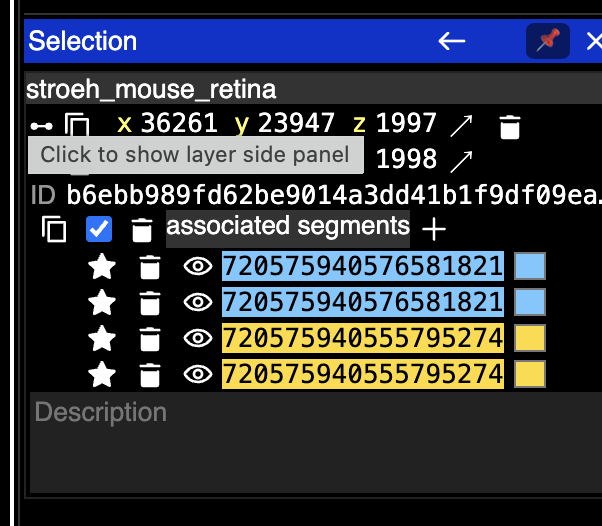
Understandable i am not seeing any error messages in console that is different with or without the script. only thing i am seeing is this box

when howering over a segment without the script i see the yellow second cell id, and with it i see the second id only as a short flicker sometimes while moving over the cell.

2 Likes

Ok, I know now, what should I be looking for. Thanks for reporting!

2 Likes

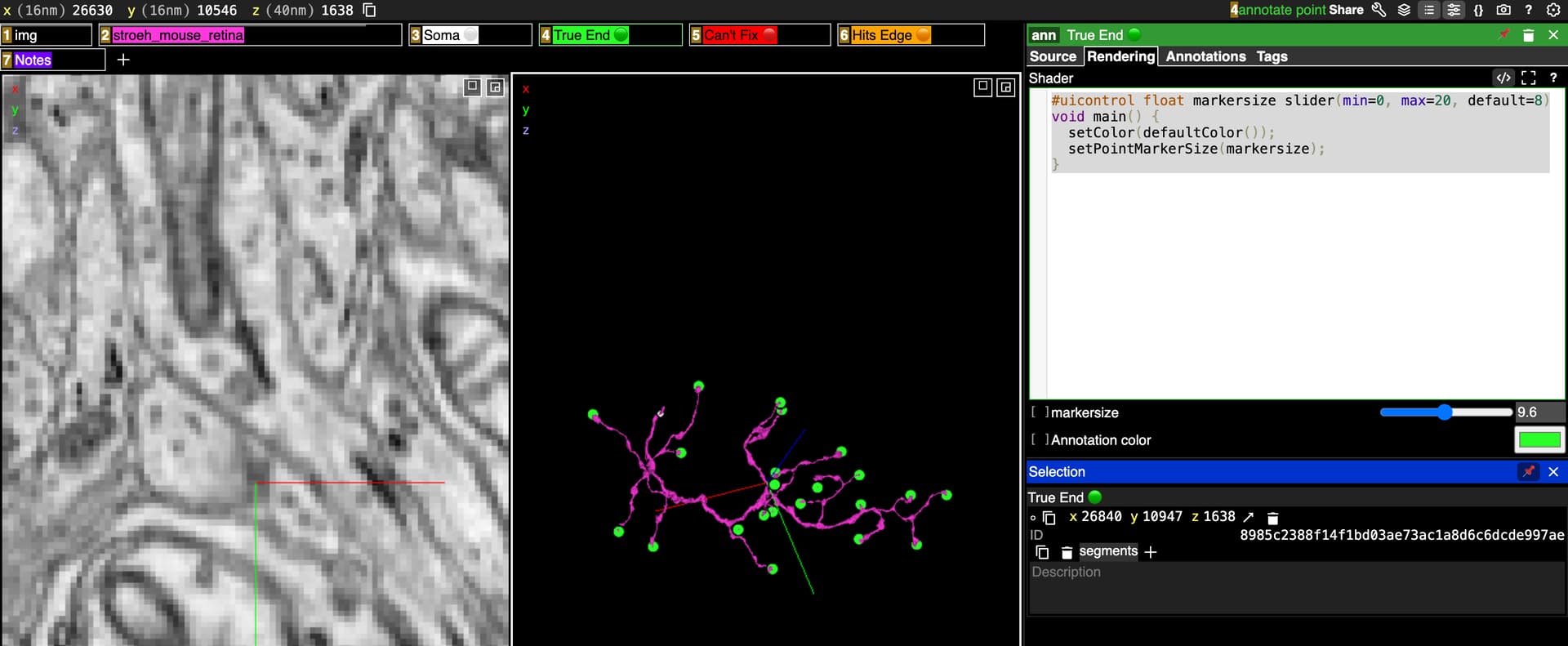
Just a heads up that we there are some edits you can make in the spelunker interface to change the size of the annotation points. You just need to replace the code in the rendering tab for an annotation layer with this:

#uicontrol float markersize slider(min=0, max=20, default=8)
void main() {
  setColor(defaultColor());
  setPointMarkerSize(markersize);
}

You can adjust the min/max/default to your own preferences.

You have to add this to each annotation layer you are trying to use it in, so in that way it is less useful than changing the size via script. But it is easily adjustable this way and creates an adjustable slider as well. It also will transfer when sharing, which could be good or bad depending on your perspective.

But it’s there if you’d like to try it :slight_smile:

2 Likes

From my understanding you will need to use that code every time you open a new link, doing this every 10 min are way to many clicks in my option.

2 Likes

yeah, this would work nice(ly) if we were pasting segid/coords in the same link like we did with the SB cells vs opening diff. links like we do here with the BP cells. But it is nice to know/have for the future.

2 Likes